
Most business websites that are not bringing in enquiries have the same handful of problems, and most owners have no idea they are there. An SEO audit is how you find them.
This article explains what an audit is, shows you what one actually turns up on real business websites, and gives you a simple checklist to run yourself before you pay anyone.
What is an SEO audit?
An SEO audit is a detailed check of everything that affects how your website performs in Google. It covers the technical health of your pages, your content, your Google Business Profile, your competitors and whether your tracking is measuring the right things.
A good audit does not just list problems. It ranks them by what they are costing you and tells you what to fix first.
What an audit actually finds
These are real findings, not examples from a textbook. Most come from the audit we ran for Roof Ranger, a Penrith roofing business whose results are published in full in our Roof Ranger case study. The last one comes from Laser Landscapes and Excavation, a civil and landscaping contractor we have worked with since 2023.
Pages that Google shows but nobody clicks
This is the most common finding, and usually the most expensive one.
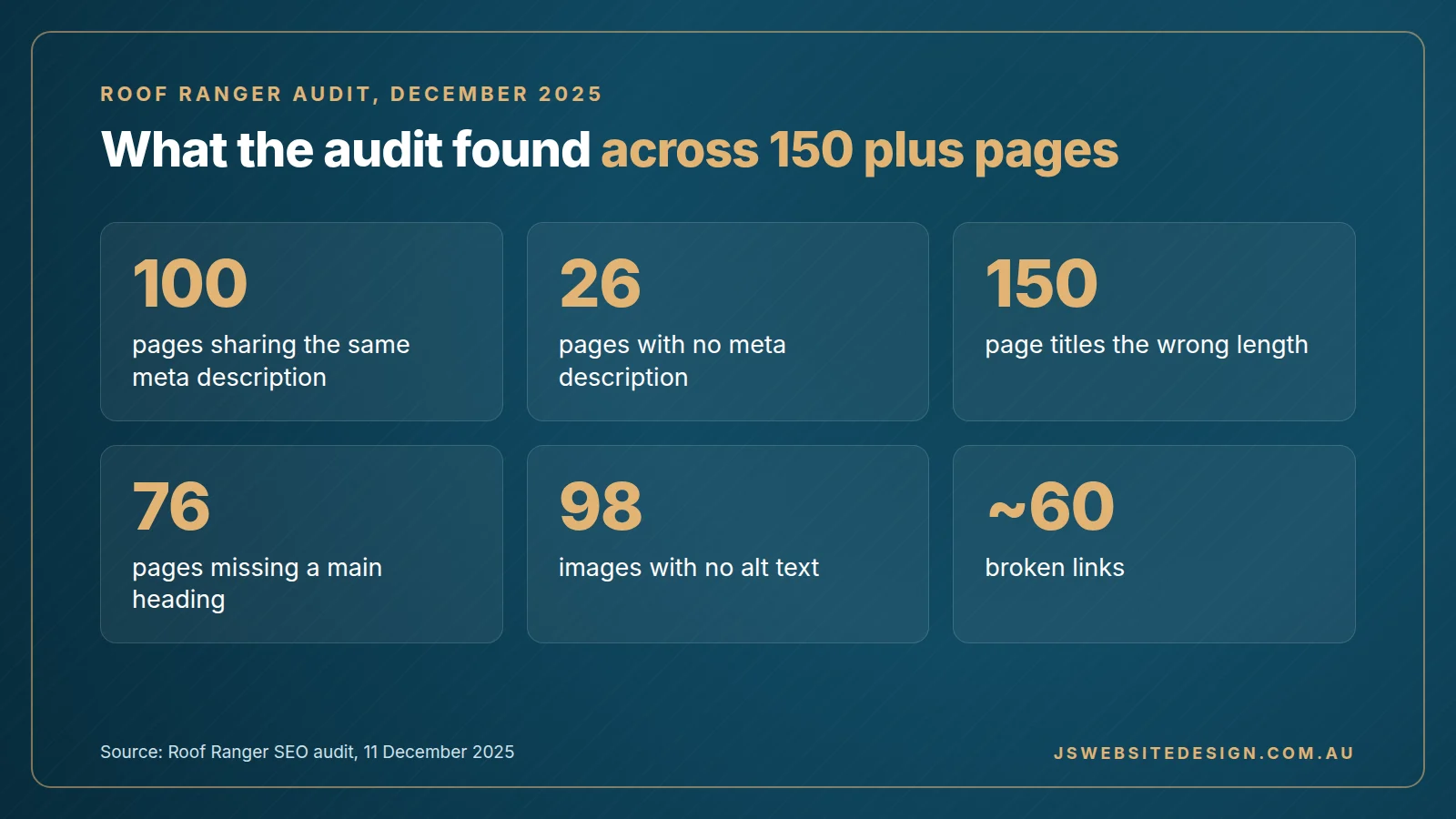
When we audited Roof Ranger in December 2025, more than 14,000 people had seen the site in Google for three search terms alone over six months, and not one of them had clicked. The site was being shown, but it was sitting too far down the page and giving people no reason to choose it.
The same description on 100 pages
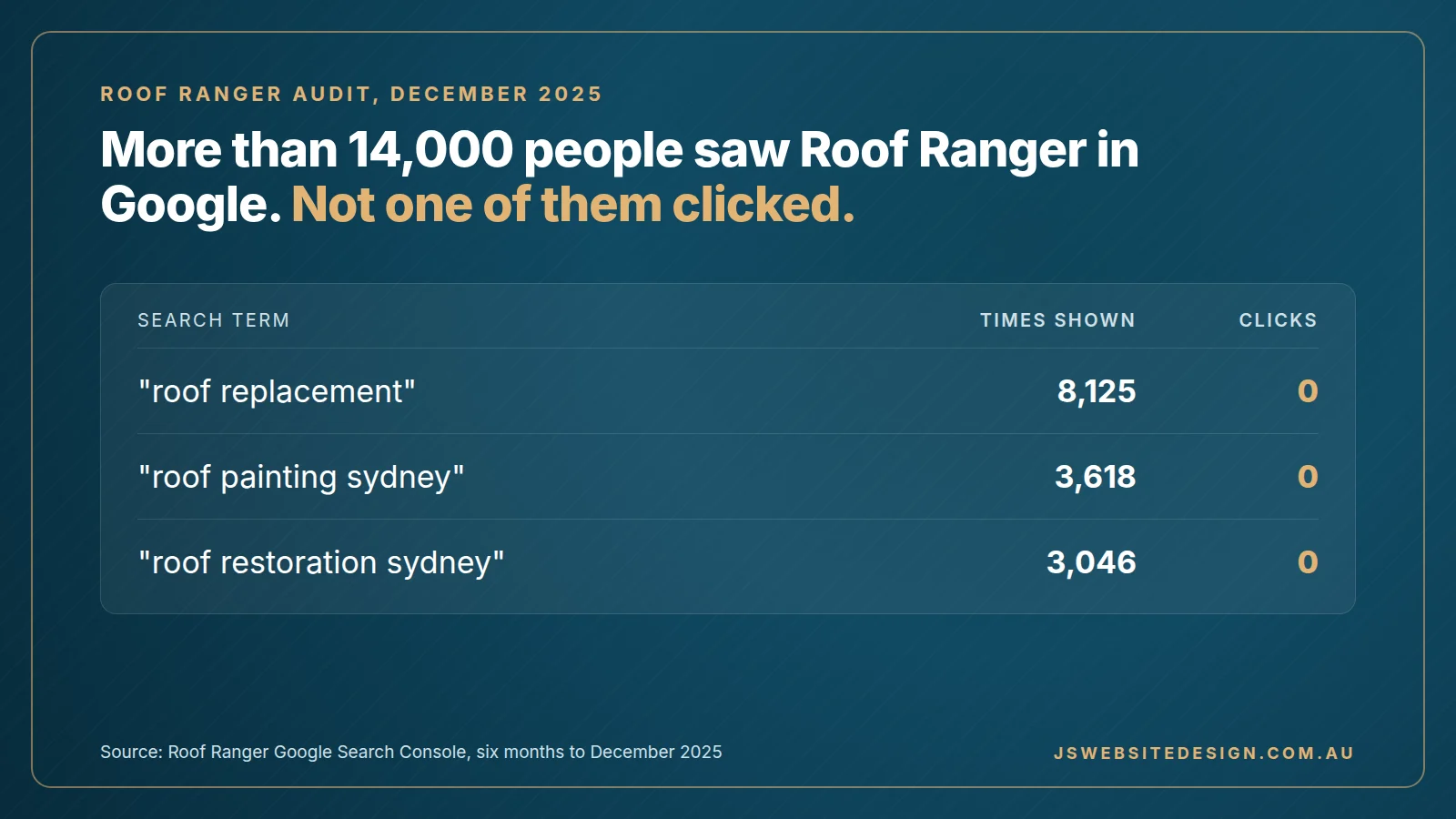
Roof Ranger had 100 pages sharing the same meta description, the short summary that appears under your link in Google, and every one of them read “Roof Ranger can help”. Another 26 pages had no description at all.
Google usually ignores a description it sees repeated across the site, and a searcher has no reason to click a result that says nothing about the page.
Missing headings and image descriptions
76 of Roof Ranger’s pages had no main heading, and 98 images had no alt text, which is the written description Google reads because it cannot see the picture. Both are simple to fix and both help Google understand what each page is about.
Broken links
Roof Ranger had around 60 links across the site that led to a “page not found” error, many of them on the location pages that were meant to bring in local work. Every one of those is a dead end for a customer and a wasted signal for Google.
A Google Business Profile in the wrong category
Roof Ranger’s profile was listed under the generic category “Contractor”, and roof replacement, one of their main services, was not listed at all.
Your primary category has more influence on the map results than almost anything else on your profile. If it is too broad, or your main services are missing, Google has little reason to show you when someone nearby searches for that work.
Tracking that counts the wrong thing
This is one of the most common problems we find. A website records dozens of “conversions” each month, but only a handful of real enquiries ever arrive, because something other than an enquiry, such as a click or a page view, is being counted as one.
This matters more than it sounds. If your tracking is wrong, every decision you make about your website and your marketing is based on the wrong numbers.
The pages you need do not exist yet
Sometimes the biggest problem is not what is on your website but what is missing from it.
Laser Landscapes started in the Blue Mountains, and their website was built around residential landscaping there. As the business grew, Andrew was winning more work in Penrith and bigger commercial jobs, but the website still described a small Blue Mountains landscaper and had no pages for Penrith at all.
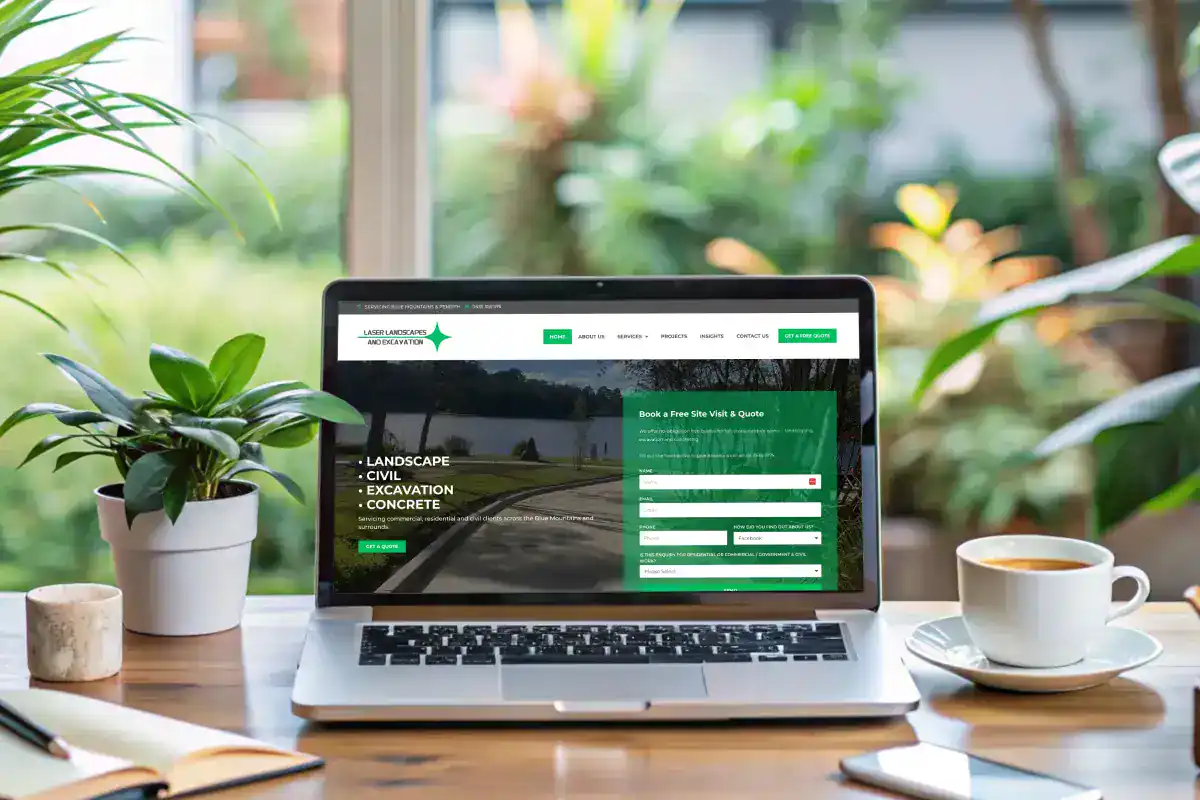
In September 2025 we added location pages for Penrith and the Nepean, the Blue Mountains and the Central West. Within a year, “landscapers penrith” moved from position 28 to position 6, and the site now ranks on page one for 336 searches, up from 142. You can read the full story in our Laser Landscapes case study.
Can you do your own SEO audit?
Yes, at least in part. Google Search Console is free, and a free tool such as the one built into your SEO plugin will flag many of the technical problems above.
What a free tool will not do is tell you which of its warnings actually matter for your business. It will not look at your Google Business Profile, compare you with the businesses ranking above you, or check whether your tracking is counting real enquiries. That is the part that takes experience, and it is usually where the biggest problems are.
Can ChatGPT do an SEO audit?
AI tools can explain SEO problems and suggest fixes if you give them the information. They cannot see your Search Console data, crawl your whole website or check your live Google results on their own, so they are a useful assistant rather than a replacement for an audit built on your actual data.
A simple SEO audit checklist you can run yourself
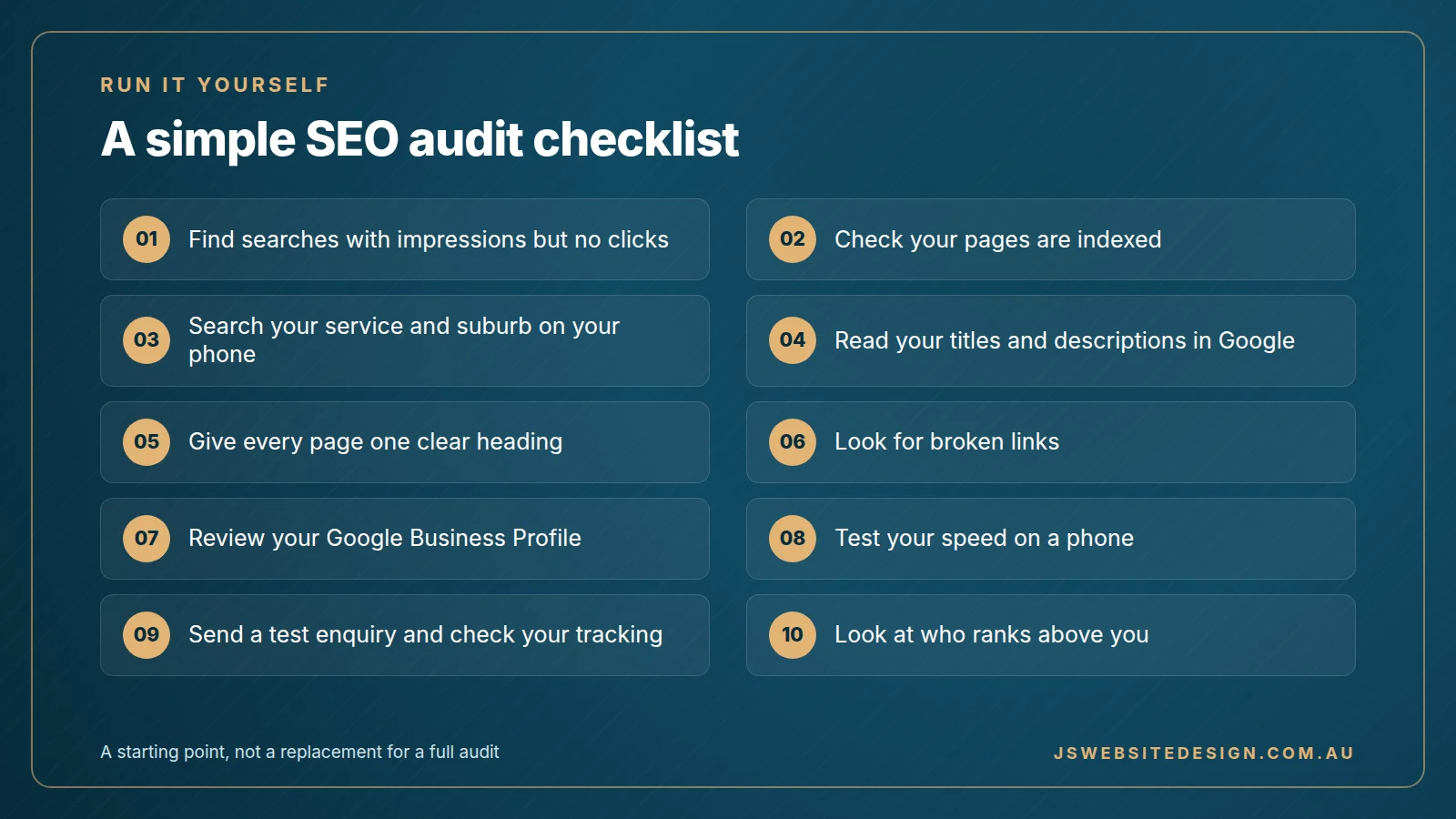
- Check what you are shown for. In Google Search Console, open the Performance report and sort by impressions. Look for searches with plenty of impressions and almost no clicks.
- Check your pages are indexed. In the Pages report in Search Console, look at why any pages are not indexed and whether they are pages you actually want in Google.
- Search for your own business. Search your main service and suburb on your phone and see where you appear, both in the map and below it.
- Read your titles and descriptions. Search site:yourdomain.com.au in Google and read the results. Look for repeated descriptions, cut-off titles and pages that do not say where you work.
- Check every important page has one clear heading. Each service page should have a single main heading that says what the service is and where you offer it.
- Look for broken links. Your SEO plugin or a free crawler will list links that lead to a missing page.
- Review your Google Business Profile. Check your primary category, make sure every service is listed with a description, and look at when you last posted and last replied to a review.
- Test your speed on a phone. Run your home page and one service page through Google’s PageSpeed Insights and look at the mobile score.
- Check your enquiry tracking. Send a test enquiry through your own form and make sure it shows up as one enquiry in your analytics, not several and not none.
- Look at who ranks above you. For your main search, open the top three businesses and note what their pages and profiles have that yours does not.
If most of your customers are local, our local SEO checklist goes further, covering your Google Business Profile, reviews and directory listings as well as your website.
What to fix first
Not every finding is worth the same. In our experience, this order works for most service businesses.
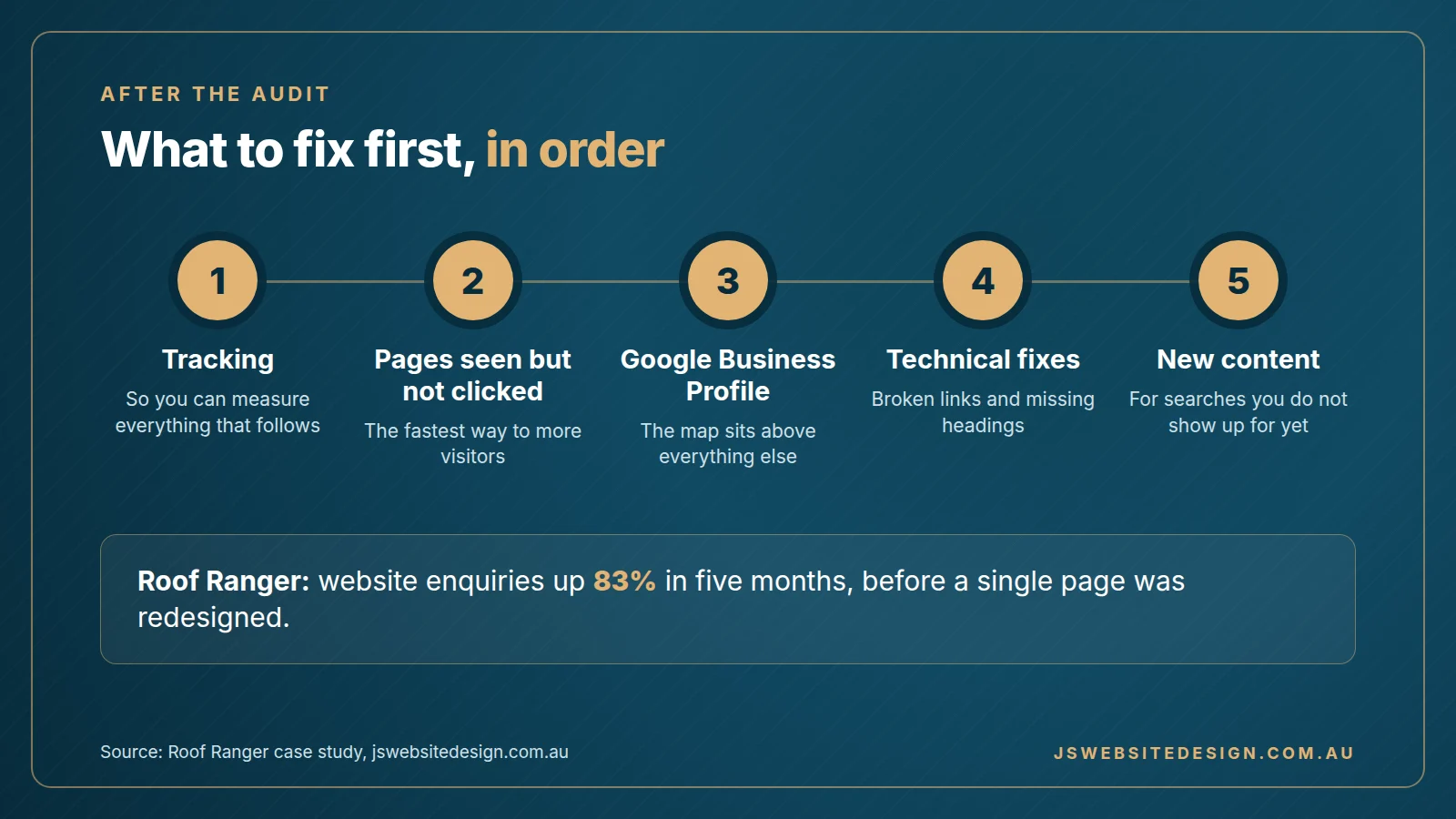
Fix your tracking first, because you need it to measure everything that follows.
Then fix the pages Google already shows but nobody clicks. Better titles, descriptions and headings on pages that already have impressions are the fastest way to more visitors.
Then fix your Google Business Profile, because for a local business the map results sit above everything else on the page.
Then the technical clean-up, such as broken links and missing headings.
Then new content, for the searches you are not showing up for at all.
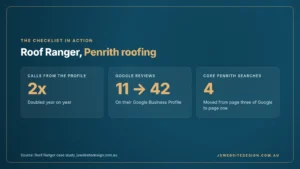
Roof Ranger is a good example of why the order matters. The audit fixes lifted website enquiries by 83% in five months, from 59 to 108, before a single page of their new website had been designed. Four of their core Penrith searches moved from page three of Google to page one in the same period.
How much does an SEO audit cost?
Free tools cost nothing and are a reasonable place to start. A proper audit done by a person costs more because it takes time to gather the data, work out what matters and write a plan you can act on.
Our SEO audits start from $1,000 + GST as a one-off cost, and the final price depends mainly on the size of your website.
Want to know what an audit would find on your website?

If your website is being seen on Google but not producing enquiries, the problem is usually specific and fixable. An SEO audit will find it, explain it in plain English and give you a clear plan to fix it, which you can hand to your own developer or ask us to handle as part of our SEO services in Penrith.